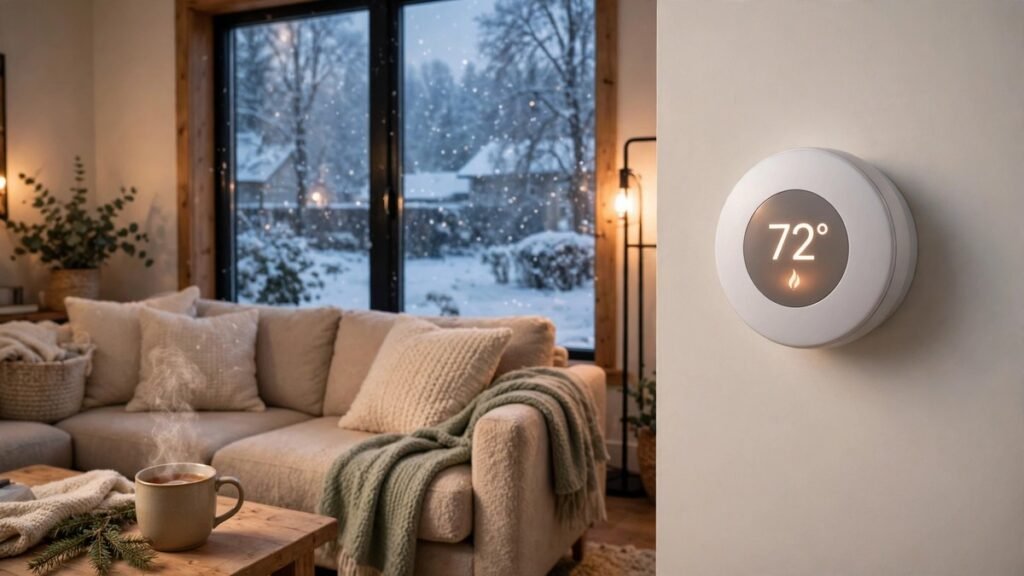
Heating is usually the biggest slice of a US home’s winter energy bill, and the thermostat is the one device that controls all of it. A smart thermostat does not heat your home any better than a regular one — it runs the system more carefully: turning the temperature down when nobody is home, warming the house back up just before you return, and showing you where the energy is going. That can add up to real savings over a winter, but only if you buy the right model for your home and use its features. Here is how to pick one without wasting money on the wrong thing.
Check compatibility before you fall in love with a model
This is the step most people skip, and it is the one that causes returns. Before you buy anything, pull your current thermostat off the wall and look at the wires. The main thing to check is the C-wire, which gives the thermostat steady power. Many smart thermostats need one, and older homes often do not have it. Some models include an adapter that solves this; without one, budget for a technician to run the wire.
The second check is your heating system itself. Most smart thermostats work with forced-air furnaces, central air, and heat pumps. They generally do not work with electric baseboard heaters or some older high-voltage systems. If your home heats with baseboards, look for a line-voltage smart thermostat made for that setup instead.
Most thermostat makers have a free compatibility checker on their website. Enter your wire labels and system type and it tells you yes or no in about a minute. Do that before ordering, not after the box arrives.
The three types you will see in stores
Smart thermostats fall into three broad groups, and the price difference between them is mostly about how much thinking they do for you.
Basic smart thermostats are the simplest. You set schedules from your phone, change the temperature remotely, and control it by voice. They do what a programmable thermostat does, minus the tiny buttons and cryptic menus. These are usually the most affordable smart models and the best fit if you already know your routine.
Learning thermostats watch how you use them for a week or two and then build a schedule on their own. They cost more, and the learning only helps if your routine is fairly regular. If your schedule changes every day, a basic model with a schedule you set yourself may serve you better.
Room-sensor models come with small wireless sensors you place in other rooms. The thermostat then heats based on the room you are actually in, instead of the hallway where it happens to hang. This is the one worth considering if your bedroom is always colder than the living room. Extra sensors are usually sold separately.
Features that actually matter
Voice control is the feature most people use daily. If your home already runs on Alexa or Google Assistant, pick a thermostat that works with the system you have — changing the temperature with your voice while cooking or carrying laundry is the small convenience that makes the device feel worth it.
Energy reports are the second feature worth having. A good app shows how many hours your system ran each day and compares it with the previous week. That feedback is what turns a smart thermostat from a remote control into a tool that actually lowers the bill.
Geofencing is the quiet money saver. The thermostat uses your phone’s location to notice when everyone has left and eases the temperature down, then brings it back up when someone is on the way home. If someone is almost always home, the savings from this feature are small.
HVAC alerts are less talked about but genuinely useful: some models warn you when your system runs unusually long, which can be an early sign of a clogged filter or a failing part.
Who a smart thermostat is NOT for
Not every home benefits. Renters should check with their landlord first — swapping a thermostat is usually allowed, but some leases forbid it, and you will need the original put back when you move out. It is also a poor buy if nobody in the house will touch the app: left on one fixed temperature, a smart thermostat saves nothing over the plain one it replaced. If your heating is electric baseboard or an old boiler system without a C-wire, the standard models will not fit and the extra wiring work may cost more than the savings.
Finally, if your home is poorly insulated or your windows leak badly, fix that first. A thermostat cannot save energy that is escaping through gaps in the walls. Our guide to keeping your home warm this winter covers more ways to cut heating waste alongside a thermostat upgrade: https://trendtrolley.online/how-to-keep-your-home-warm-this-winter-without-cranking-the-heat/
Installation: easier than most people expect
Most installs take 30 to 45 minutes and need only a screwdriver and a phone. The app walks you through photographing your old wiring, labelling each wire, and connecting the new base. The one step people rush is labelling: take the photo, label every wire, and double-check before you pull anything out. If the wiring looks damaged, or the app’s diagram does not match what you see, call a professional — a short visit is cheaper than a fried control board.
Common mistakes to avoid
The biggest mistake is buying before checking compatibility, followed closely by buying the most expensive model when a basic one would do. A learning thermostat in a home with an irregular schedule is paying extra for a feature that never gets used.
Another common mistake is setting extreme temperatures to “heat the house faster.” A thermostat is an on-off switch, not a throttle — setting it to 85 degrees does not warm the house any faster than setting it to 70. It just overshoots and wastes energy.
People also forget the utility rebate. Many US electric and gas utilities offer rebates on smart thermostats, often enough to cover a large part of the cost. Check your utility’s website before you buy — the rebate may only apply to certain models.
Smart thermostats are also one of the smart home items that usually sees real discounts during Black Friday week, which runs November 19–30 this year. If you have already checked compatibility and know which model fits your system, the sale week is a good time to buy — but check the current price against what the same model sold for in October.
Pairing a thermostat with the rest of the house helps too. A humidifier keeps winter air comfortable at a lower temperature, which means the thermostat does not have to work as hard: https://trendtrolley.online/best-humidifiers-for-winter-how-to-pick-one/
FAQ
Do smart thermostats really save money?
They can, but the savings come from you using them well — schedules, setbacks when nobody is home, and the energy reports. A thermostat left on a fixed temperature saves nothing over a regular one.
Do I need a C-wire for a smart thermostat?
Most models need one for steady power, though some ship with an adapter or can run without it. Check your wiring and use the maker’s free compatibility checker before buying.
Will a smart thermostat work with a heat pump?
Most do, but heat pumps need a model that handles auxiliary heat correctly. Check the maker’s compatibility tool before ordering.
Can renters install a smart thermostat?
Often yes, but ask your landlord first and keep the original thermostat to reinstall when you move out.
🛒 Shop This Guide – Buy on Amazon
As an Amazon Associate, Trend Trolley earns from qualifying purchases. The products below are ones we recommend in this guide — prices and availability can change, so check the current price on Amazon before you order. Buying through these links supports Trend Trolley at no extra cost to you.

Echo Dot (5th Gen) with Alexa, Charcoal
Control your thermostat hands-free with voice commands.
Buy on Amazon

Kasa Smart Plug HS103P2 (2-Pack) by TP-Link
Automate a fan or humidifier alongside your thermostat to balance comfort room by room.
Buy on Amazon

Kasa Smart Bulb KL110 (Dimmable, Alexa/Google)
Build lighting routines that run with your heating schedule.
Buy on Amazon
As an Amazon Associate, Trend Trolley earns from qualifying purchases.