
Working from home in the USA is easier when your desk helps you instead of fighting you. You do not need a full office remodel to feel more comfortable; a few well-chosen desk gadgets under $40 can improve light, posture, cable clutter and focus. This guide covers monitor light bars, laptop stands, desk organizers, USB hubs and ergonomic basics as product types, with typical price ranges in USD and practical home office setup tips.
Start with your biggest work-from-home problem
Is your neck sore from looking down at a laptop? Is glare making video calls hard? Are cables and papers taking over the desk? Fix the biggest problem first. A laptop stand helps posture, a light bar helps eyes, and an organizer helps focus. Buying all three at once without testing one can waste money, especially in a small apartment where desk space is limited.
Monitor light bars
A monitor light bar, often about $25 to $40, mounts on top of a monitor and shines light down onto the desk without lighting the screen directly. Look for adjustable brightness and color temperature, a USB power source, and a clamp that fits your monitor thickness. Pros include reduced glare and a cleaner desk than a traditional lamp. Cons include that it does not light the whole room and may not fit very thick or curved monitors. Measure your monitor first.
Laptop stands
A laptop stand, often about $15 to $35, raises your screen closer to eye level and can improve airflow. Choose between a simple folding stand, an adjustable stand, or a stand with a dock. Check the maximum laptop size, stability on your desk, and whether the stand has rubber pads to prevent slipping. If you use an external keyboard and mouse, a stand is much more useful than if you type on the laptop keyboard all day.
Ergonomic basics
Ergonomics is mostly about position, not expensive gadgets. Your screen should be roughly at eye level, your feet should rest flat, and your wrists should stay neutral while typing. A stand, a cushion or footrest, and a wrist rest, often about $10 to $30 total, can help, but chair height and desk height matter more. Take a short break every hour to stand, stretch and rest your eyes.
Desk organizers
Desk organizers, often about $12 to $30, include pen cups, drawer trays, monitor shelves and cable trays. A monitor shelf can lift your screen and create storage underneath, which is ideal for small desks. Measure your desk depth before buying a shelf, and keep only the items you use daily on the desktop. Paper, chargers and supplies you use weekly can live in a drawer or nearby shelf.
USB hubs
A USB hub, often about $15 to $35, adds ports for a mouse, keyboard, headset, flash drive and external storage. Check the port types, whether it passes through charging power, and whether it needs its own power adapter for multiple devices. A powered hub is better if you connect several accessories at once. Place the hub where you can reach it without crawling under the desk.
Home office setup tips
Place your desk near natural light if possible, but avoid direct glare on the screen. Keep a water bottle, notebook and charging cable within reach so you do not get up constantly. Use cable clips to keep cords off the floor, and label chargers if several people share the desk. If you share a home with others, a small sign or calendar can protect focus time better than any gadget.
Comparison: which desk gadget first?
- Best for neck comfort: a laptop stand with an external keyboard.
- Best for video calls: a monitor light bar.
- Best for small desks: a monitor shelf organizer.
- Best for many accessories: a USB hub.
- Best low-cost start: cable clips plus a simple organizer.
Frequently asked questions
What desk gadget under $40 helps most?
For most remote workers, a laptop stand or monitor light bar helps most because it improves posture or lighting every day. Choose based on your biggest discomfort.
Do I need a USB hub for work from home?
Only if you run out of ports. If you connect a mouse, keyboard, headset and storage regularly, a hub saves daily frustration.
Are monitor light bars worth it?
They can be, especially if glare is a problem and desk space is tight. Check monitor fit and brightness adjustment before buying.
How can I make a small home office feel bigger?
Use vertical storage, keep only daily items on the desk, manage cables, and choose light colors. A monitor shelf can add storage without taking floor space.
Conclusion
The best desk gadgets under $40 for work from home in the USA are the ones that fix a daily problem: better light, better posture, fewer cables and a calmer desktop. Start with one gadget, test it for a week, and build your setup step by step. With typical prices in USD and attention to fit, comfort and cable management, you can create a home office that helps you focus without spending a fortune.
A practical desk upgrade plan
A practical upgrade plan for a typical US home office starts with cable clips and a simple organizer, then adds a laptop stand if you use a laptop as your main screen. Next, add a light bar if video calls or evening work are common, and add a USB hub when you regularly connect more devices than your laptop has ports. At each step, check that the new item fits the desk, does not block vents or ports, and is easy to reach. This staged plan keeps total spending in USD manageable, avoids impulse bundles, and lets you feel the benefit of each gadget before buying the next. It also makes it easier to return or reposition an item if it does not help, because you changed one thing at a time.
Finally, keep your desk setup flexible. Remote work needs change, and a gadget that helps today should be easy to move, store or pass along when your needs change tomorrow.
🛒 Shop This Guide – Buy on Amazon
Affiliate Disclosure: Trend Trolley is a participant in the Amazon Services LLC Associates Program. If you buy through a link on this page, we may earn a small commission at no extra cost to you. Prices and availability change often, so please check the current price on Amazon before you buy.
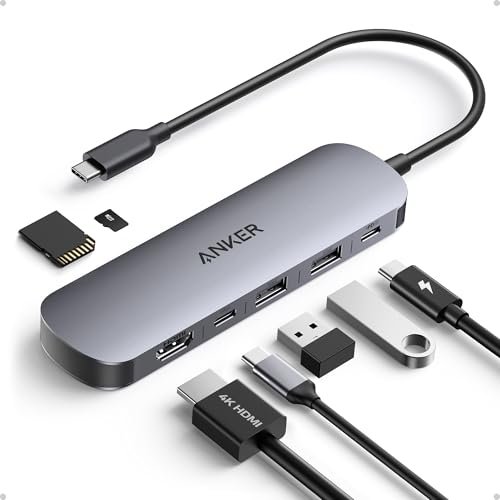
Anker USB C Hub 7-in-1 – Buy on Amazon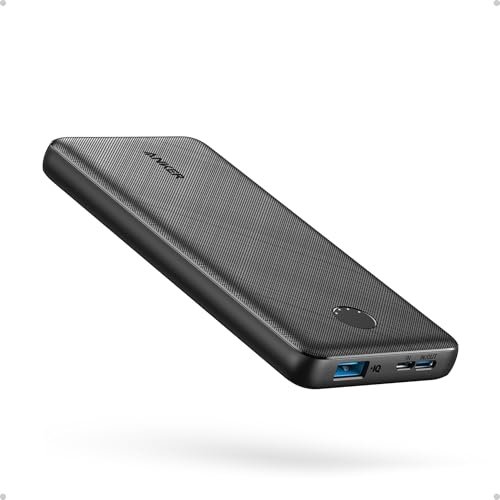
Anker PowerCore 10K Power Bank – Buy on Amazon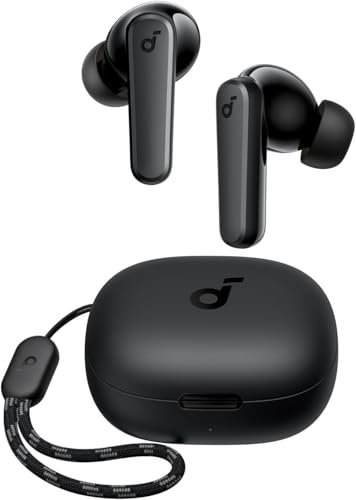
Soundcore by Anker P20i Earbuds – Buy on Amazon
As an Amazon Associate, Trend Trolley earns from qualifying purchases.