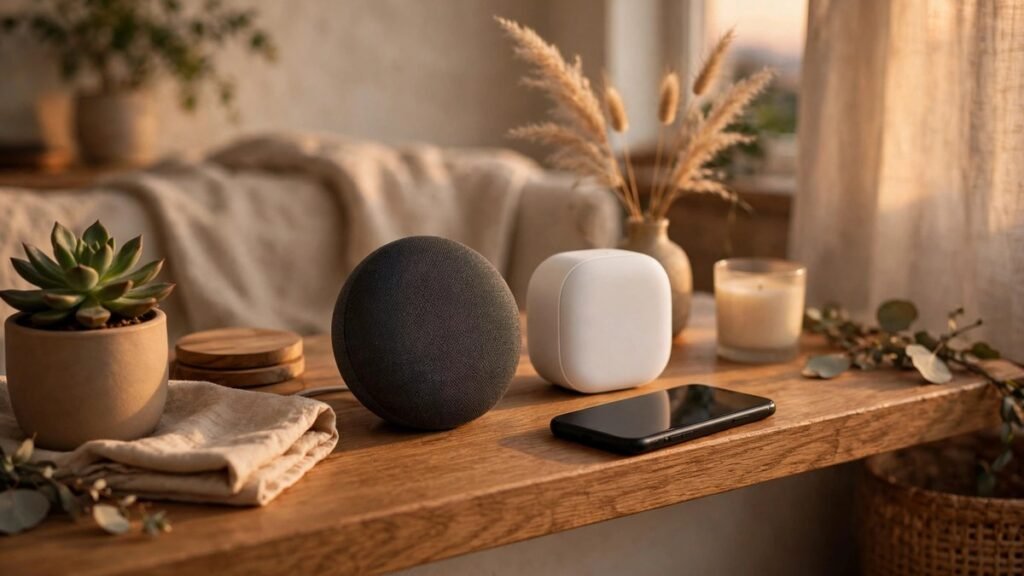
Walk into any electronics aisle in December and you’ll see the same two names staring back at you: Alexa and Google Home. Both will play your music, both will turn your lights off, and both will happily tell you the weather. So why does picking one feel so hard? Because the real difference isn’t the speaker on your shelf — it’s the system that grows around it. Once you buy three smart bulbs, a plug, and a doorbell that all talk to one assistant, switching later is a weekend project nobody wants.
I’ve lived with both, and neither is “the best” for everyone. The right pick depends on your phone, your habits, and how much smart home gear you actually plan to own.
The short answer: look at your phone first
If you carry an Android phone and use Google services daily — Gmail, Calendar, YouTube, Maps — Google Home feels like an extension of your pocket. Your reminders, commute, and calendar are right there when you ask. If you live in the Amazon world instead — Prime, Prime Video, Kindle — Alexa slots in the same way, reordering household stuff and tracking packages.
Neither punishes you for owning the other company’s phone — Alexa works fine on an iPhone, Google Home on a Samsung. But the little conveniences add up over months. Start with the ecosystem you already live in, and you’ll fight the speaker less.
Sound: close enough that the room matters more
Let’s get this out of the way: at the small, affordable end of the range, both systems sound perfectly fine for a kitchen or bedroom. You’re not buying a $50 speaker for concert sound, and both companies know it. The difference shows up when you compare them side by side. Amazon’s Echo speakers tend to sound a touch warmer, with a little more low end, which suits pop and podcasts. Google’s Nest speakers lean brighter and clearer, which some people prefer for voices and acoustic music.
Your room decides more than the brand does. A speaker shoved in a corner sounds muddy no matter whose logo is on it — put either one on an open shelf at ear height and you’ll be happy. If music is the main job, buy the bigger speaker in whichever system you choose.
Smart home control: Alexa still has the wider net
This is where the two systems actually separate. Alexa works with a huge range of smart home brands, including a lot of budget ones — walk the smart home aisle and nearly every box says “Works with Alexa.” If you hunt for deals on plugs, bulbs, and sensors from smaller brands, Alexa gives you more options and usually lower prices.
Google Home covers all the big names too — Philips Hue, TP-Link Kasa, Nest, Ring — and for most households that’s plenty. Where it lags is the long tail of cheaper gadgets. If your plan is simple — a few bulbs, a plug or two, maybe a camera — you won’t notice the gap. Our beginner smart home setup guide walks through a starter kit that works on either system.
Answering questions: Google’s home turf
Ask both speakers a tricky question — say, “how many days until the first day of spring” — and Google usually answers first, and answers better. That’s not a surprise: Google is a search company, and its assistant is basically a voice box for the world’s biggest search engine. Follow-up questions work well too: “What about the weather there tomorrow?” after asking about a city.
Alexa handles everyday questions fine — weather, timers, simple facts, sports scores — but it stumbles more often on anything layered or unusual. If you see yourself quizzing the speaker while you cook, Google has the edge. If your speaker is mostly a remote control for your house, this gap barely matters.
Privacy: what each one actually keeps
Both systems record your voice commands — that’s how they work — and both let you review and delete those recordings in their apps. Both also have a physical microphone-off button, which is the simplest privacy feature of all: press it, and the speaker stops listening entirely until you press it again.
The practical difference is habit, not policy. Spend five minutes in the app after setup: turn on auto-delete and check what’s stored. And if the speaker sits in a bedroom, use the mic-off button at night — it’s free, and it’s the one privacy control that can’t be argued with.
Price: the starter speaker is cheap, the system is the cost
Both companies sell their small speakers for around the same price, and both go on sale constantly — especially around Black Friday, Prime Day, and the weeks before Christmas. You can often pick up a starter speaker for the price of a pizza. Don’t let the speaker price decide for you, because the speaker isn’t the real cost.
The real cost is everything you plug into it over the next year: bulbs, plugs, a video doorbell, maybe a thermostat. A smart plug costs less than a takeout lunch — but five rooms add up. Our smart lighting guide breaks down what bulbs, strips, and plugs actually cost room by room.
Can you mix both? Yes, but you’ll regret it
Nothing stops you from putting an Echo in the kitchen and a Nest speaker in the bedroom — they’ll both work. But you’ll end up with two apps, two sets of routines, and the small annoyance of remembering which room answers to which name. Worse, your devices can usually only be the “favorite” of one system at a time for routines.
Pick one and commit to it for at least a year. If you hate it, the speakers themselves are cheap enough to replace — it’s the connected devices that make switching painful, and most of those work with both systems anyway.
Frequently asked questions
Can I use Alexa and Google Home in the same house?
Yes, they’ll both function, but routines and automations get messy. One system per household keeps things simple, especially if other family members use the speakers too.
Which is better for elderly parents?
Alexa, usually — its calling features make “call my daughter” or “turn on the hall light” simple to set up. Either works if you set it up for them and keep commands short.
Do I need a monthly subscription?
No. Both assistants work without a subscription. Paid plans exist for extra music or cloud camera storage, but the core features — voice control, timers, smart home control — are free.
Which speaker should I buy first?
Buy the small, cheap one from the system you picked. Live with it for a month. If you use it daily, add devices slowly. If it gathers dust, you’ve spent very little to find out.
Whichever you choose, the best smart speaker is the one you’ll actually talk to. Start small, set it up properly, and let it earn its place before you buy anything else for it.
🛒 Shop This Guide – Buy on Amazon
Affiliate Disclosure: Trend Trolley is a participant in the Amazon Services LLC Associates Program. If you buy through a link on this page, we may earn a small commission at no extra cost to you. Prices and availability change often, so please check the current price on Amazon before you buy.

Echo Dot (5th Gen) – Buy on Amazon
Kasa Smart Bulb KL110 – Buy on Amazon
Kasa Smart Plug HS103P2 (2-Pack) – Buy on Amazon
As an Amazon Associate, Trend Trolley earns from qualifying purchases.